

Mesh WiFi Systems
Forget dead zones and buffering. Our Orbi mesh WiFi systems deliver strong, consistent coverage to every corner of your home so you can work, game, or stream without interruption.
69 Items
Sort By
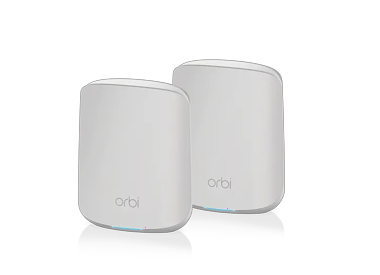
AX1800 Mesh WiFi System (RBK352)
AX1800 WiFi 6 Whole Home Mesh WiFi System (RBK352)
- WiFi 6 technology
- up to 1.8 Gbps
- up to 320 m²
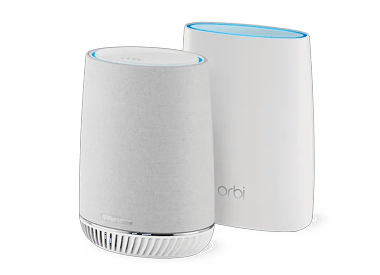
AC3000 Mesh WiFi System (RBK50)
Orbi Tri-band Mesh WiFi System, 3Gbps, Router + 1 Satellite
- WiFi 5 technology
- up to 3 Gbps
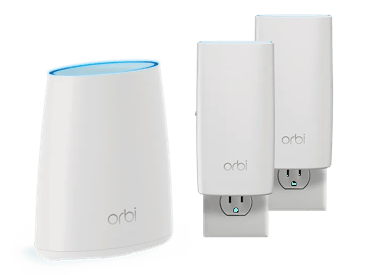
RBK33 | Orbi AC2200 Tri-band WiFi System
Orbi AC2200 Tri-band WiFi System
- WiFi 5 technology
- up to 2.2 Gbps

AX6000 Mesh WiFi System (RBK862S)
Orbi 860 Series Tri-Band WiFi 6 Mesh System, 6Gbps, 10 Gig Port, 2-Pack, with 1-year NETGEAR Armor included
- WiFi 6 technology
- up to 6Gbps
- up to 360 m²
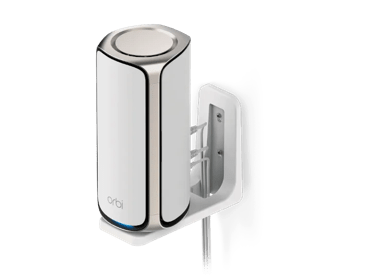

BE27000 Mesh WiFi System (RBE973S)
Orbi 970 Series Quad-band WiFi 7 Mesh (1 Router + 2 Satellites)
- WiFi 7 technology
- 10G speeds
- up to 27Gbps
- up to 660 m²

AXE11000 Mesh WiFi System (RBKE963)
Orbi 960 Series Quad-band WiFi 6E Mesh 3-Pack
- WiFi 6E technology
- 10G speeds
- up to 10.8 Gbps
- up to 600 m²

AX4200 WiFi Mesh System (RBK752)
Orbi 750 Series Tri-Band WiFi 6 Mesh System, 4.2Gbps, Router + 1 Satellite
- WiFi 6 technology
- up to 4.2 Gbps
- up to 695 m²
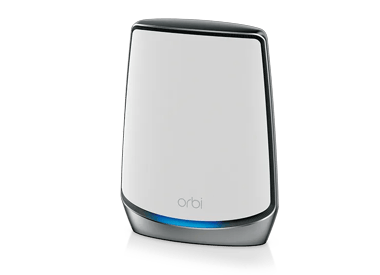
AX6000 WiFi Satellite (RBS850)
NETGEAR Orbi RBS850 WiFi 6 Whole Home Mesh Add on Satellite
- WiFi 6 technology
- up to 6 Gbps
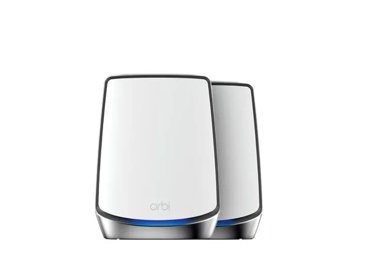
AX6000 WiFi Mesh System (RBK852)
Orbi 850 Series Tri-band WiFi 6 Mesh System, 6Gbps, Router + 1 Satellite
- WiFi 6 technology
- up to 6 Gbps
- up to 465 m²
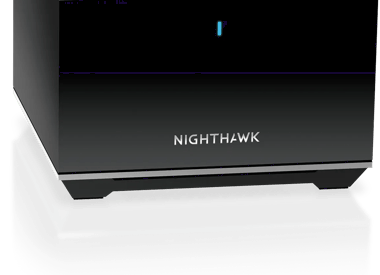
MS80 | Nighthawk Tri-band Mesh WiFi 6 Add-on Satellite
Nighthawk Tri-band Mesh WiFi 6 Add-on Satellite
- WiFi 6 technology
- up to 3.6 Gbps

AXE11000 Mesh WiFi System (RBKE963B)
Orbi 960 Series Quad-band WiFi 6E Mesh 3-Pack, Black Edition
- WiFi 6E technology
- 10G speeds
- up to 10.8 Gbps
- up to 600 m²
Showing 1-12 of 69
Mesh WiFi Buyer’s Guide
Not sure which mesh WiFi system is right for your space? This guide breaks down what you need to know, or try our Orbi Finder Tool to find the system that fits your home.
The best mesh systems deliver fast, reliable coverage in every room. They support the latest WiFi standards, handle many devices at once, and are easy to set up and expand. These systems, like the Orbi 970 series, offer multi-band WiFi support, better stability, and smoother performance across dozens, or even hundreds of connected devices.
Mesh WiFi product descriptions include basic performance stats. Look for higher total WiFi speed ratings and consider more WiFi bands.
WiFi Speed: Listed as WiFi format + megabits-per-second (Mbps). For example - "BE5000" means WiFi 7 "BE" at "5000" Mbps (or 5Gbps). The total bandwidth is then dynamically divided between WiFi Channels and mesh units and connected devices.
WiFi Bands: Terms like tri-band and quad-band describe how many WiFi frequencies the system can broadcast at the same time. Each band is either 2.5 GHz, 5 GHz or 6 GHz. More bands allow for faster speeds and more simultaneous connections to devices.
More bands give your network more space to handle traffic. Devices can spread out across different bands, reducing slowdowns. It also keeps mesh units connected without using up the bandwidth needed for your devices. This means faster, more reliable WiFi, especially in busy homes.
Always check the mesh system's estimated WiFi coverage in sq. ft. Mesh kits include a WiFi mesh router and 1-4 mesh satellite units.
Unit Placement: Consider where each unit will be located. The WiFi mesh router must be physically connected to your modem. Satellites should be placed within 25-50 feet from the router or at least one other satellite. Orbi Systems can be upgraded with additional add-on satellites to be added to existing systems after initial setup.
Consider Unit Range: Is your home built from signal-reducing dense materials like bricks? Do you have a wide or multi-floor layout? Are there outdoor areas to cover? If so, you might need more satellite units for denser or wider WiFi coverage.
Shop for advanced features that ensure the safety of your data and provide improved Internet management options.
Advanced Router Security: NETGEAR Armor powered by Bitdefender is an all-in-one Internet security platform.
Parental Control & Content Filtering: With NETGEAR Smart Parental Controls – managing your family’s Internet time has never been easier.
Smartphone Apps: Connect to your Orbi Mesh System via smartphone app to set it up and to control its advanced functions, or just to test your WiFi speed.
FREQUENTLY ASKED QUESTIONS
Mesh WiFi is a whole home WiFi system designed to provide uninterrupted WiFi throughout your home. Mesh WiFi Systems include NETGEAR Orbi and some Nighthawk products. Discover our What is Mesh WiFi page to learn more.
Mesh WiFi technology is intuitive, using a router and 1 or more satellites - keeping you online even if one of the satellites is too far away. Each satellite piggybacks off the other satellites signal ensuring a consistent and powerful WiFi connection. NETGEAR offers Mesh WiFi Systems for Home & Business.
Comparing WiFi Extender vs Mesh WiFi - extenders merely boost and repeat WiFi signals. Mesh systems, on the other hand, use smart technology that matches mesh routers to one or more satellites to provide a dedicated and reliable WiFi signal - that keeps you seamlessly connected as you move throughout your home. NETGEAR offers multiple Extender & Mesh WiFi options.